

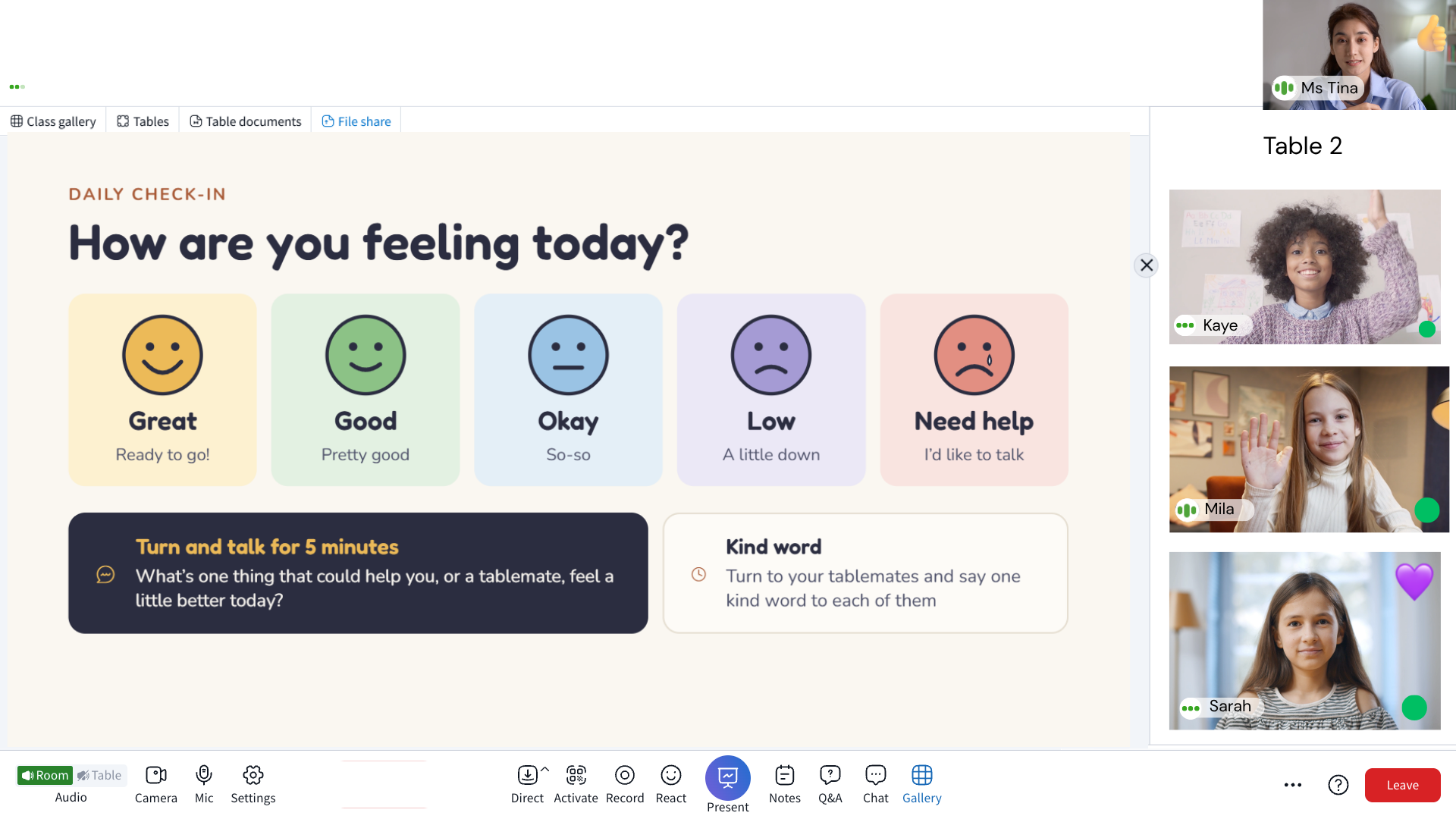
Peer-to-peer learning
Small-group collaboration at tables enables learners to explain concepts, share perspectives, and solve problems together, reinforcing understanding while building communication and collaboration skills.
Engageli gives every learner a persistent seat at a virtual table, making small-group work part of the classroom rather than an isolating breakout experience.


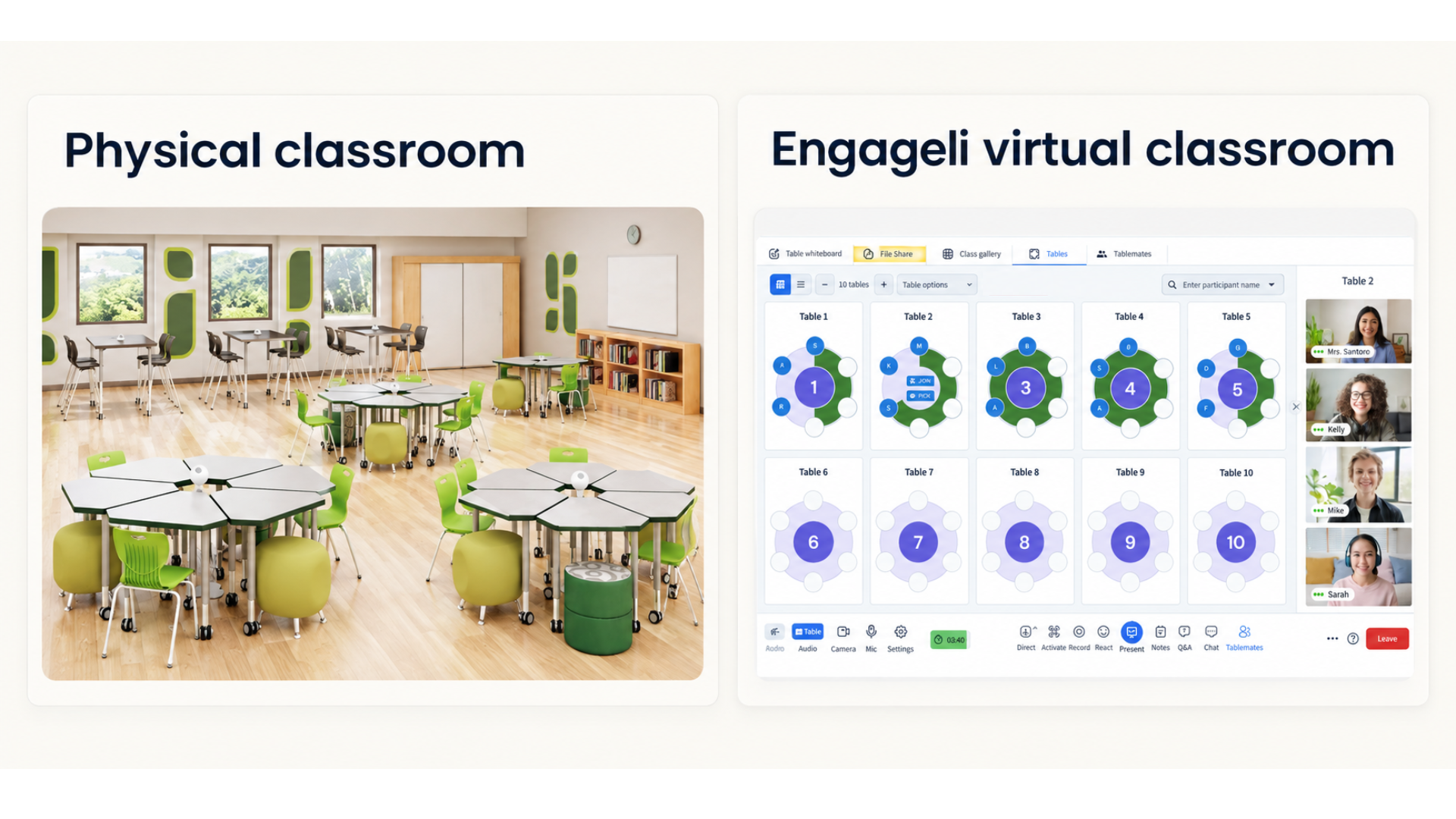
Virtual tables support persistent groups, flexible seating, and instructor oversight without moving learners into separate breakout rooms. The structure helps group work be an integrated part of the virtual classroom.
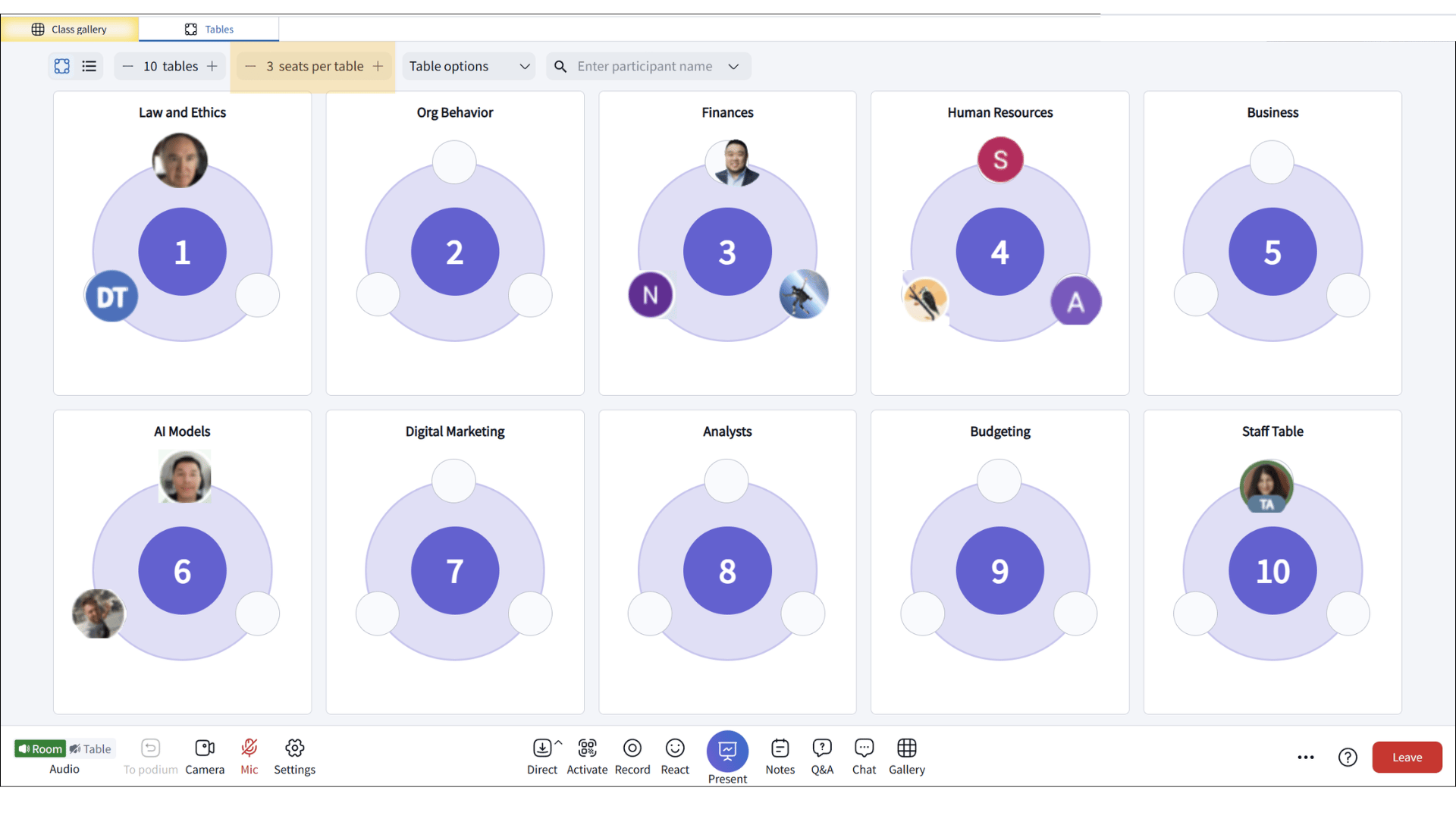
Rename tables to help identify group purpose. Changing the number of seats per table aligns the group size with the learning activity, making collaboration more effective. Instructors can also reconfigure tables as activities change, creating flexible learning spaces for brainstorming, team challenges, peer review, or differentiated instruction while keeping students connected to the classroom.
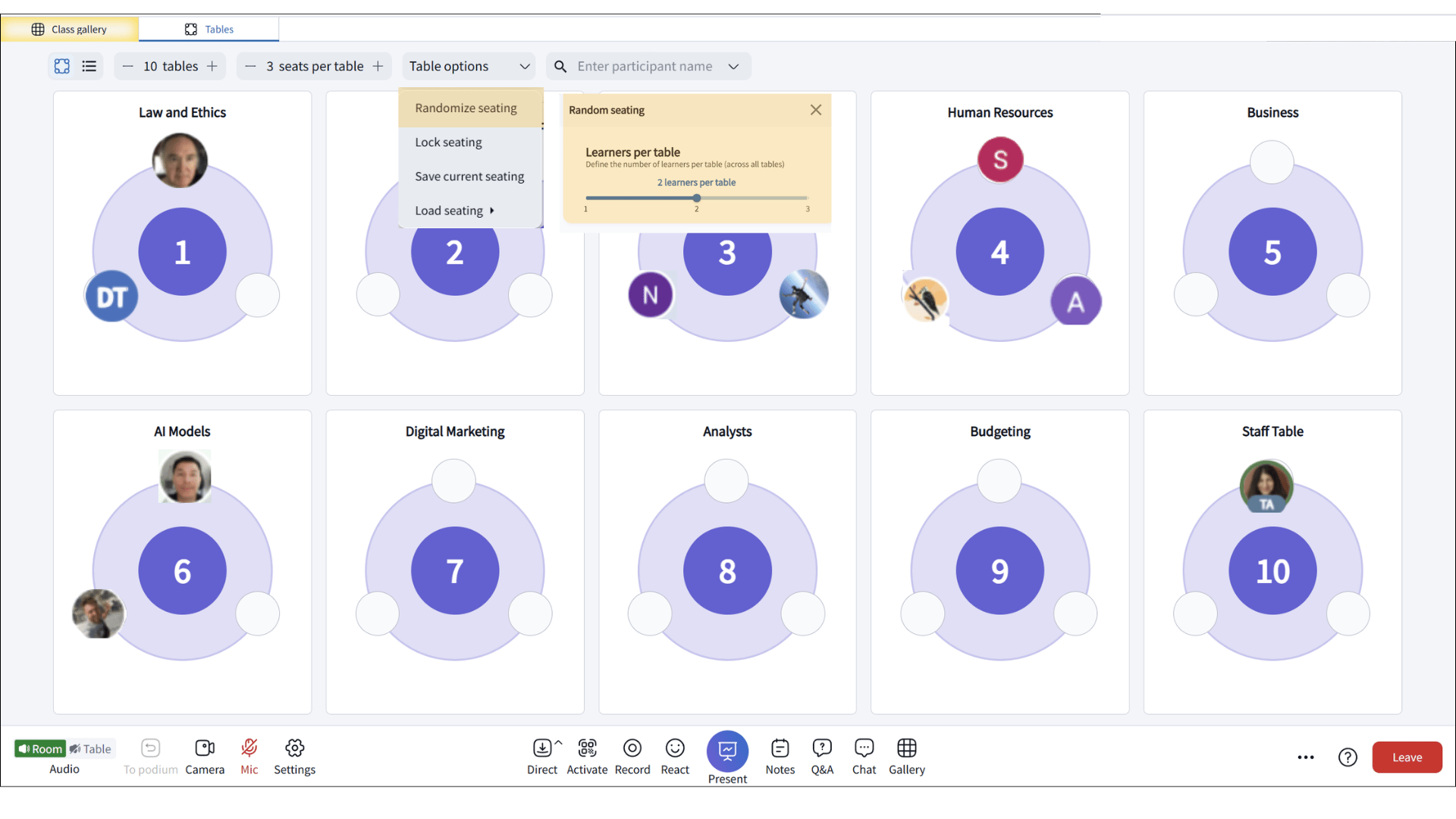
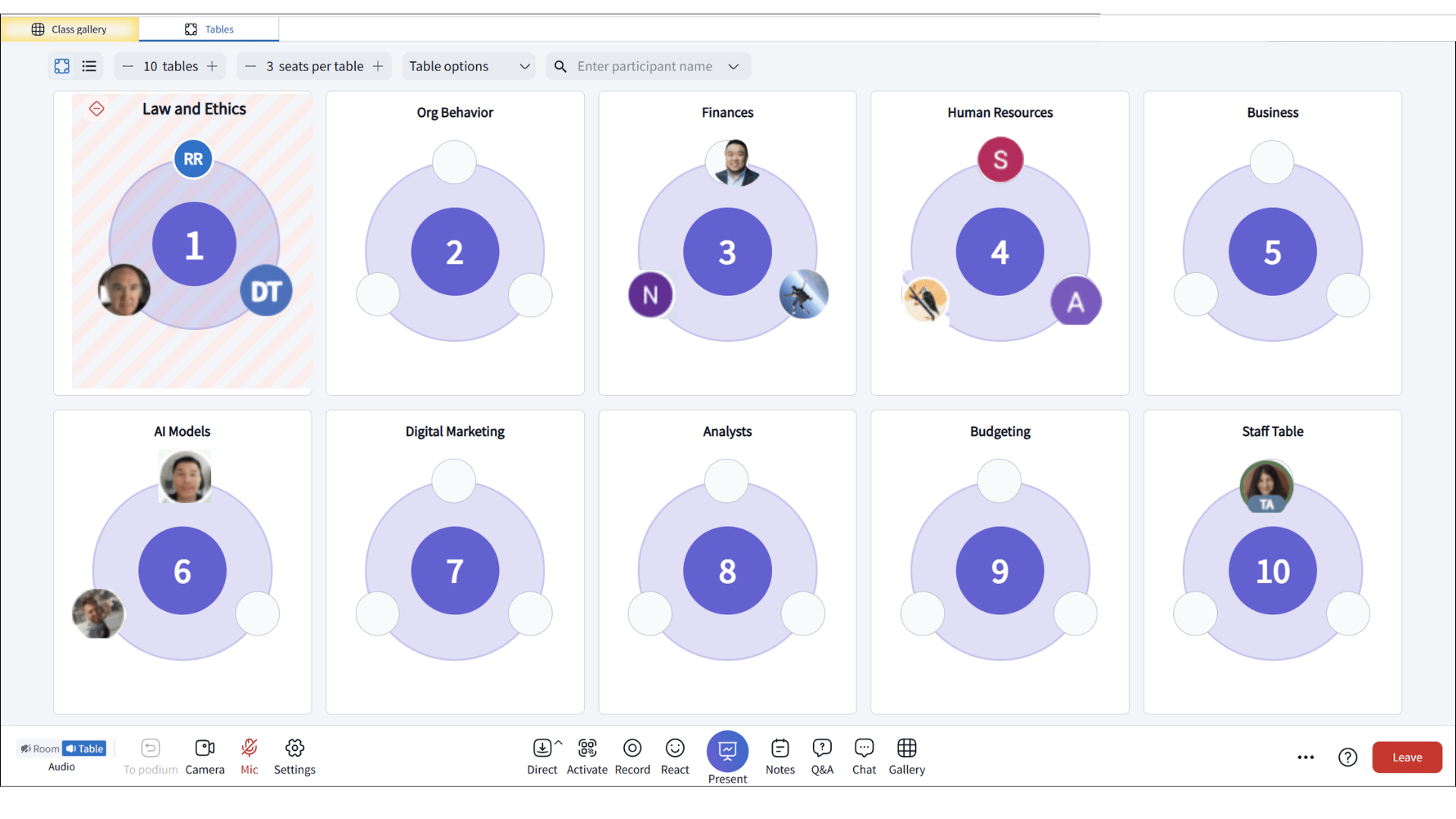
Mix learners across tables to spark new conversations and broader collaboration. Every group activity becomes an opportunity for deeper perspectives. Rotating group members helps build stronger peer connections, deepen understanding, and make each activity a new opportunity for shared learning.
Lock the seating arrangement to drive intentional collaboration during structured learning activities. Forcing groups to stay together minimizes unnecessary movement and distractions, supports equitable participation, and makes it easier to facilitate activities such as team challenges, collaborative problem-solving, and peer discussions.
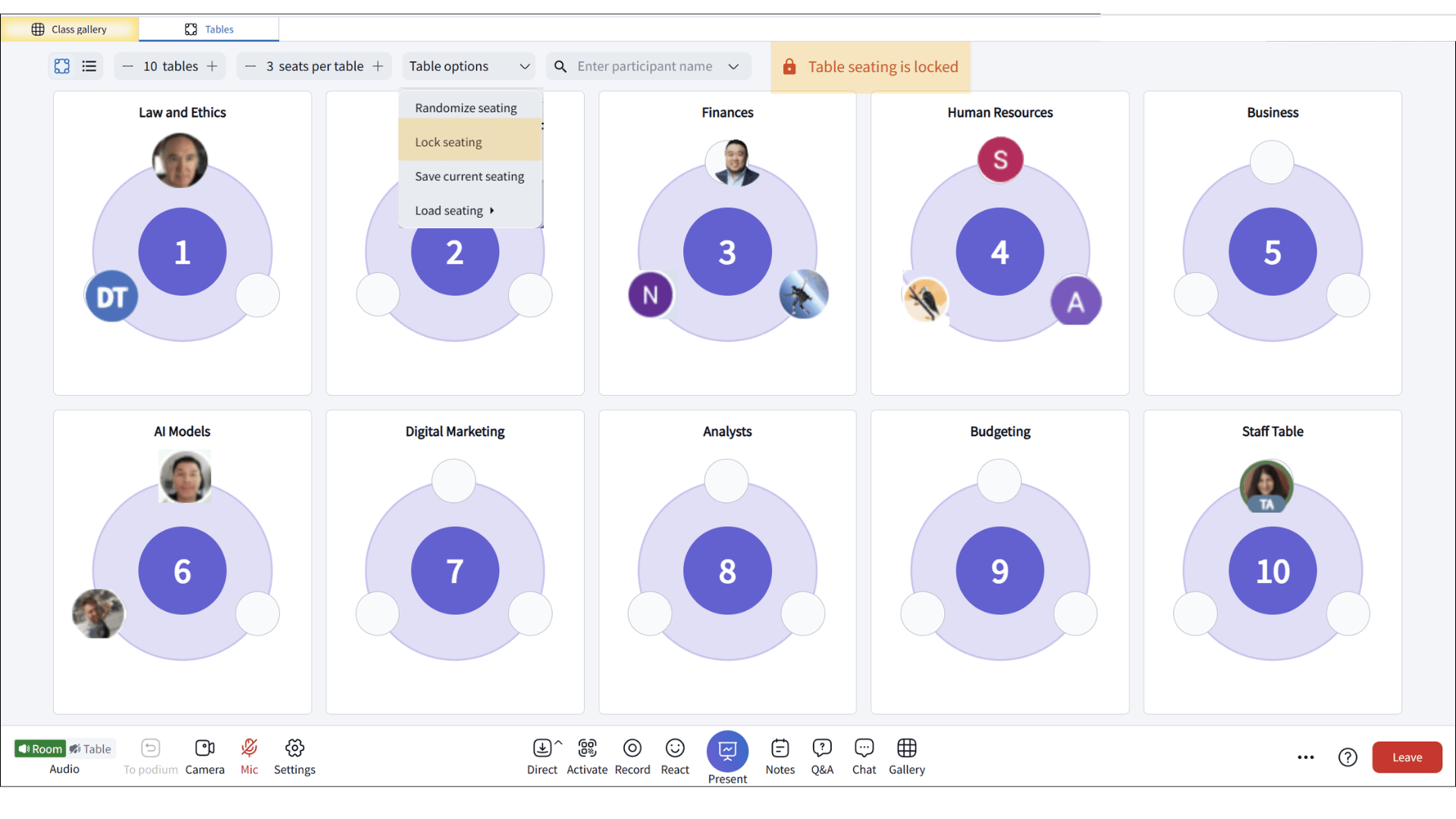
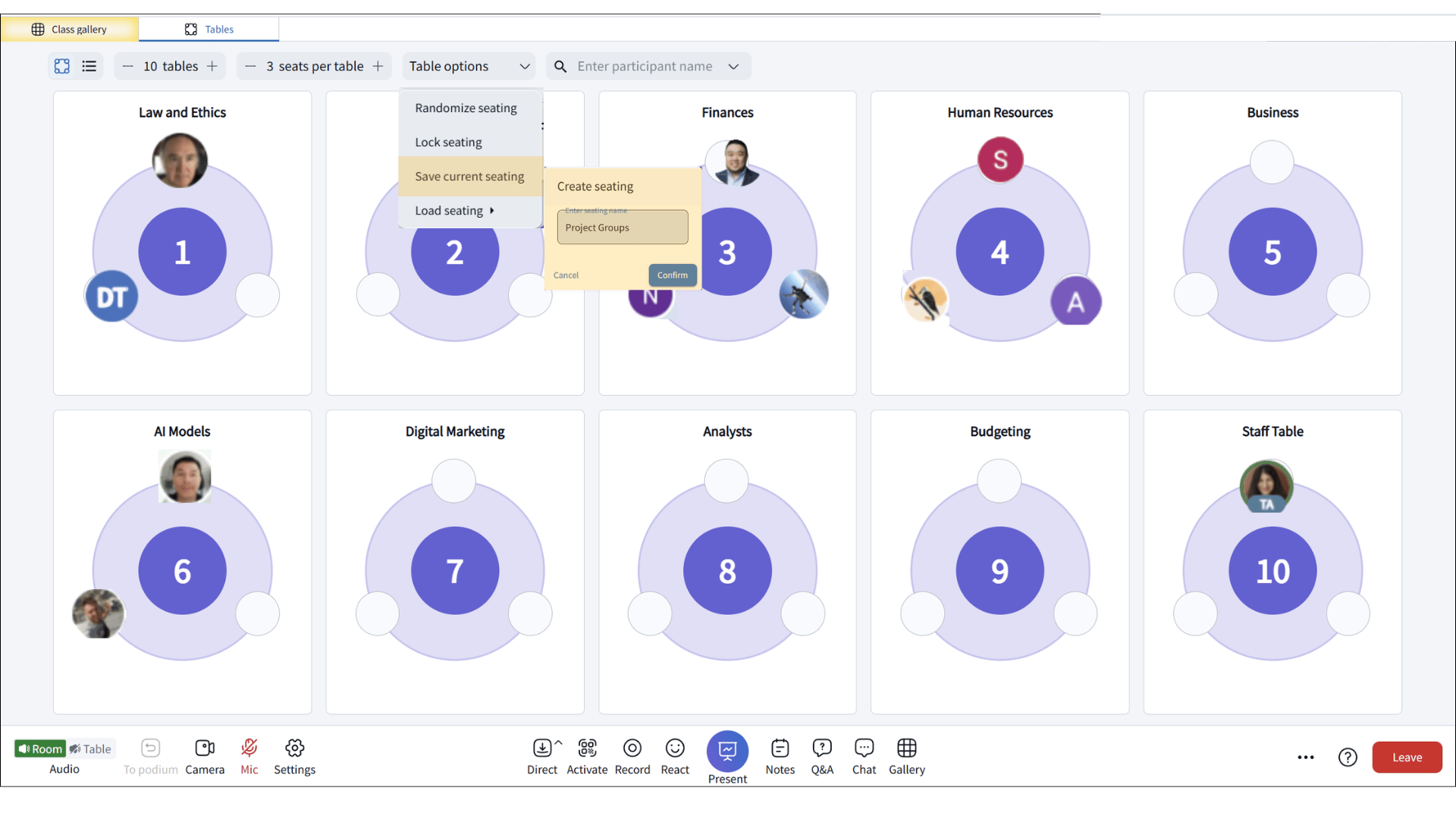
Save seating arrangements for learners to return to the same groups, allowing trust, communication, and teamwork to develop over multiple sessions. Consistent groups help students feel more comfortable contributing, support deeper collaboration, and create a stronger sense of classroom community.
Create quiet tables where learners can focus, think independently, and reflect without the pressure of constant group interaction. These spaces support diverse learning preferences, including neurodiverse learners who may benefit from reduced auditory and social stimulation, helping make the virtual classroom more inclusive and comfortable.
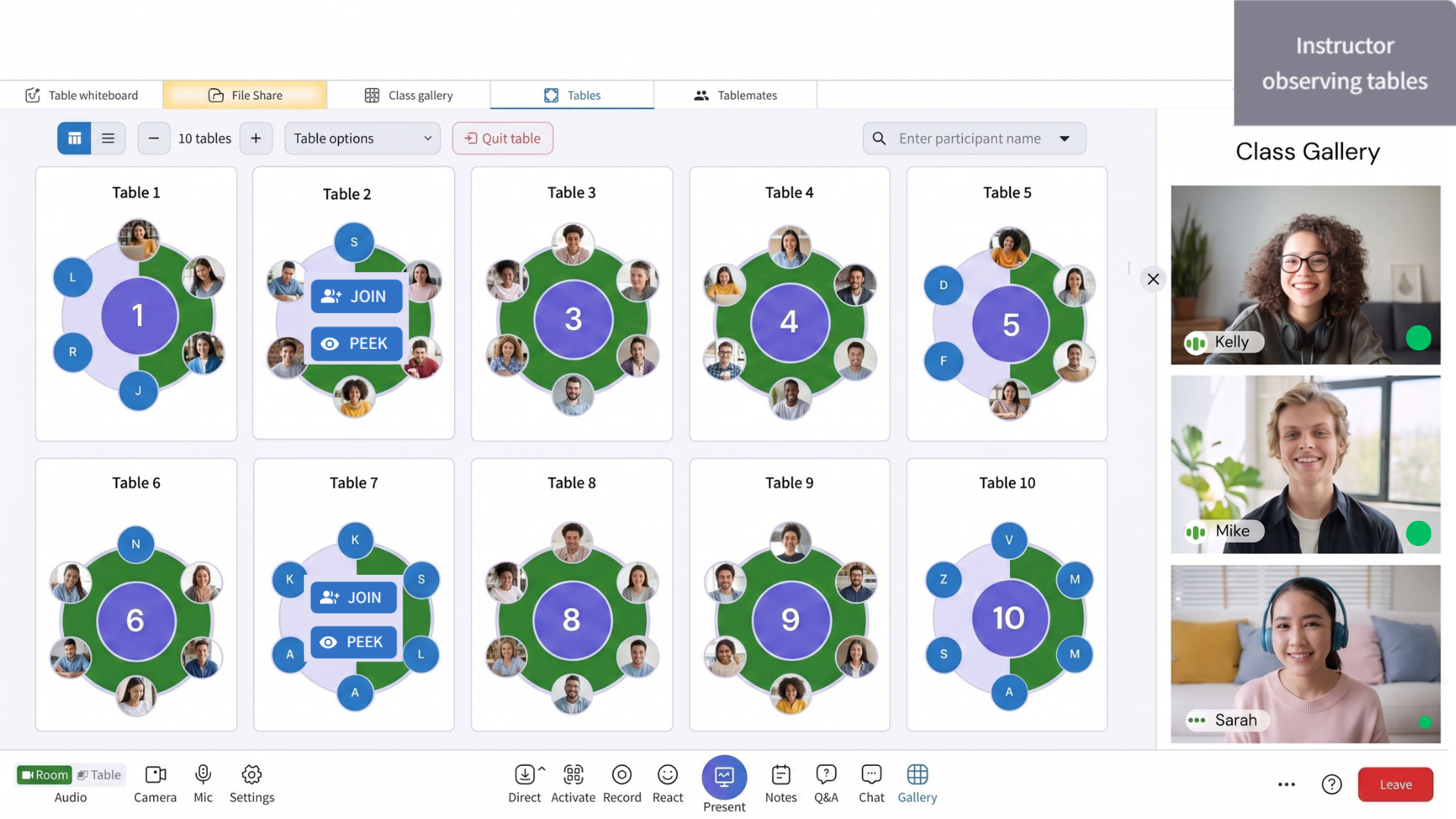
Listen in on table conversations to monitor group progress and understand learner thinking without interrupting collaboration. Instructors can join discussions when needed to answer questions, clarify concepts, and provide timely guidance while keeping learning activities on track.
Use these learning moments to show what the feature enables and why it matters to instructors, learners, and program leaders.

Small-group collaboration at tables enables learners to explain concepts, share perspectives, and solve problems together, reinforcing understanding while building communication and collaboration skills.

Guided practice
Instructors introduce concepts and guide learners through practice activities at their tables, providing feedback and coaching as they walk the classroom and visit tables. This delivery strategy reinforces learning through exploration and practice.

Think-pair-share
Learners sit at tables in pairs, reflect individually, discuss ideas with their tablemates, and then share insights with the larger class. This delivery strategy enforces critical thinking and moves learners from individual reflection to collaborative discussion.

Role-play
Learners participate in scenario-based exercises at their tables such as case studies, negotiations, or professional role-play. This strategy strengthens applied skills and experiential learning and allows practice of real-world scenarios in a safe environment.

Learning support
Real-time learning support allows instructors to identify struggling learners through individual engagement indicators and check in with them directly at their tables. This enables timely, personalized coaching to clarify concepts and re-engage learners.

Focused class time
Breakout tables create a cone of silence that offers quiet spaces within the virtual classroom. This environment allows learners to focus and receive individualized support from staff without interruption from the broader classroom conversation.

Guided exploration
Instructors introduce a concept or challenge at tables while learners collaborate, test ideas, and apply their understanding through practice. This delivery reinforces learning through active discovery, experimentation, and real-time feedback.
Project based learning
Learners work in groups over multiple sessions to create a project solution. Instructors provide milestones and coach teams as they work through their project. This strategy builds teamwork and the ability to apply knowledge to authentic problems.
Group persistence
Learners collaborate in persistent tables throughout the class
Groups are created temporarily through breakout rooms
Classroom structure
Learning experience
Group discussions are isolated moments
Instructor oversight
Engagement data
Read what instructors are saying about the measurable results, enhanced student success, and transformed learning with Engageli.
Engageli’s collaborative spaces connect learners through virtual tables that foster teamwork, discussion, and peer-to-peer learning, giving instructors the tools and insights to mprove learning outcomes.
Support social-emotional learning (SEL) by giving students opportunities to practice empathy, communication, teamwork, and conflict resolution at their tables. Supported spaces build stronger connections and improved learning outcomes.
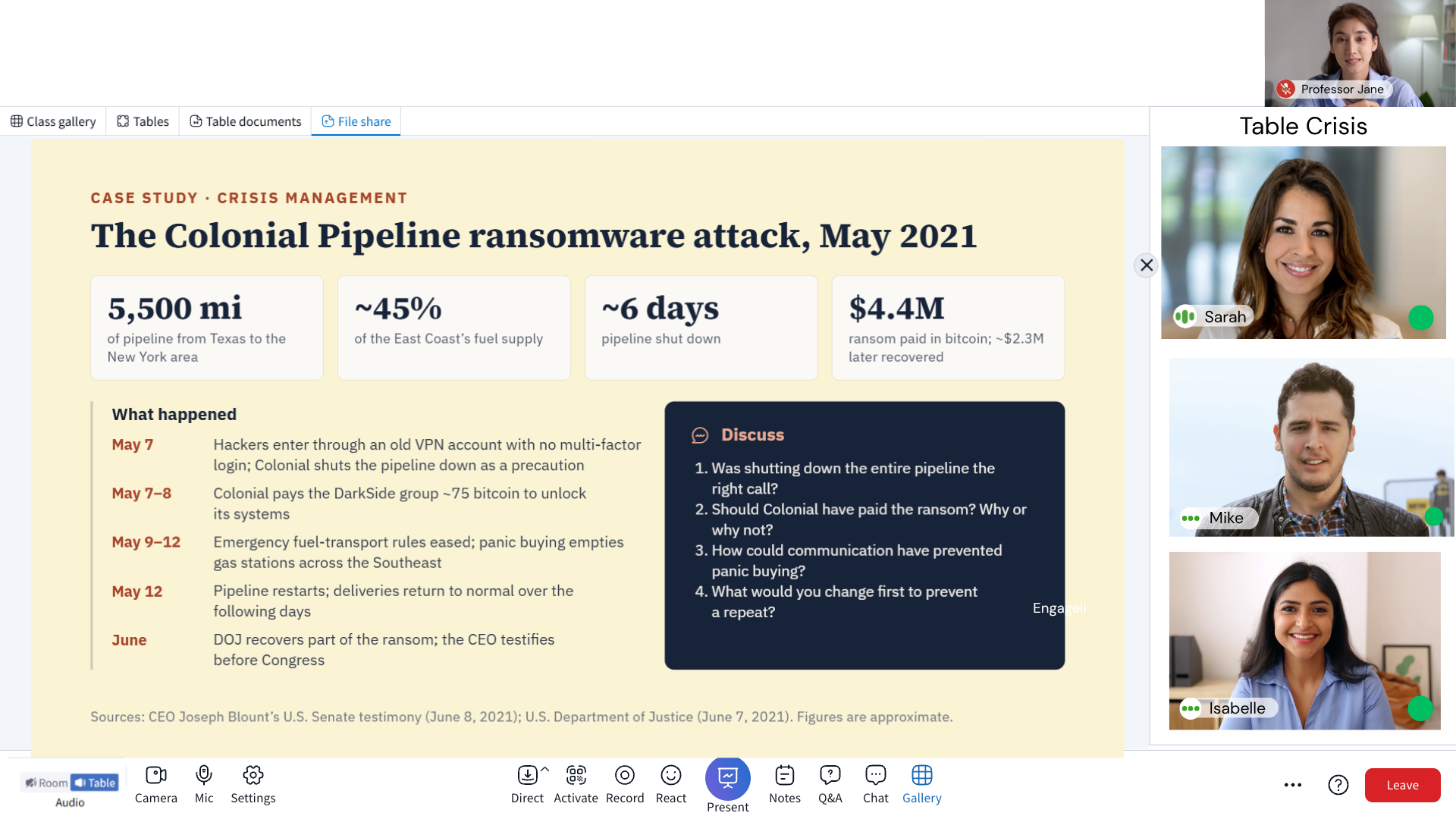
Present a real-world scenario or case study and ask learners to analyze the situation and make evidence-based decisions at their virtual tables. Connect theory to practice while developing analytical reasoning and collaborative problem-solving skills.
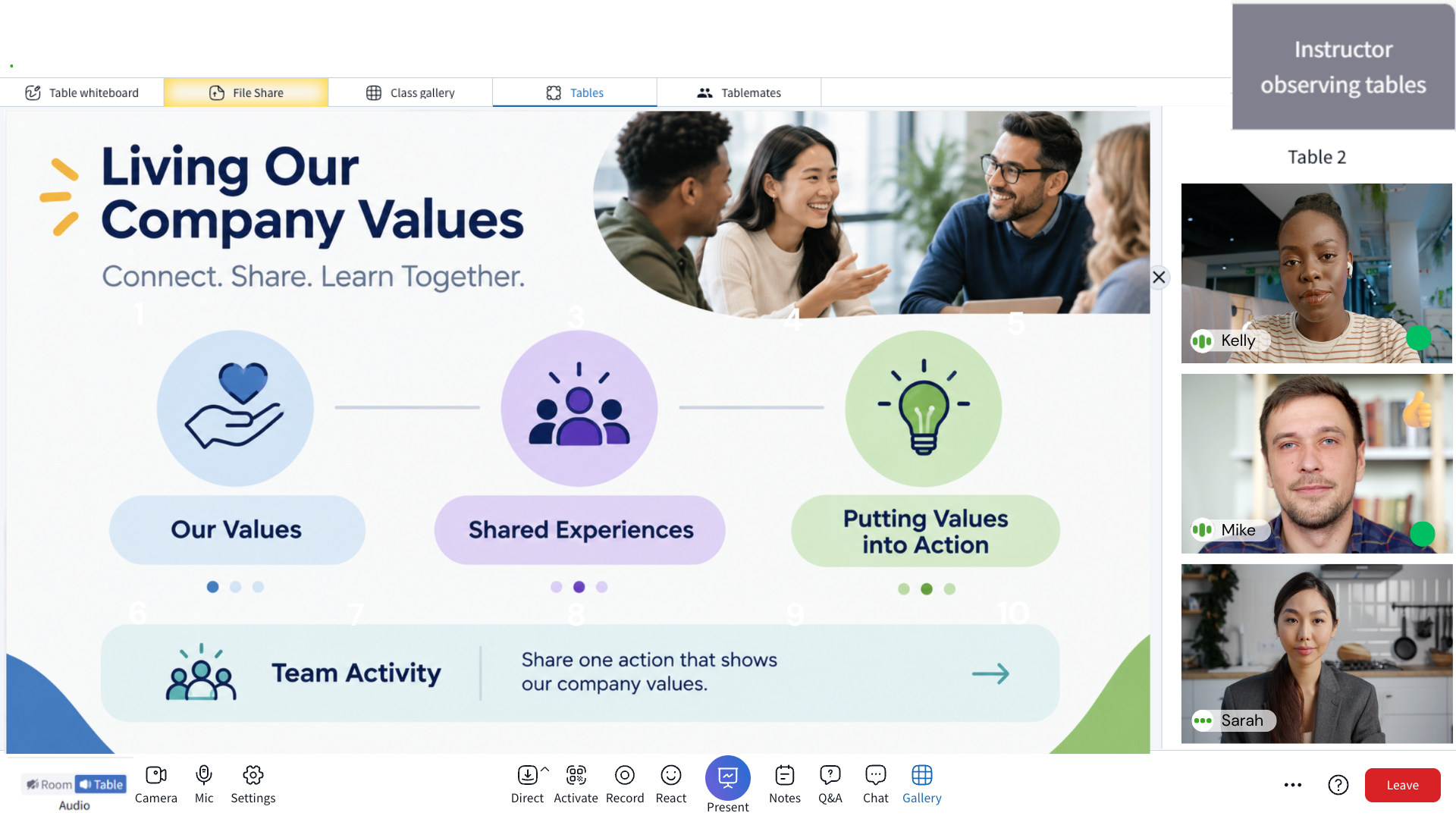
Provide spaces in onboarding sessions for new hires to explore company values and learn from experienced colleagues the about company culture, expectations, and practices . Enable table groups to organically build relationships and a sense of connection across distributed teams.
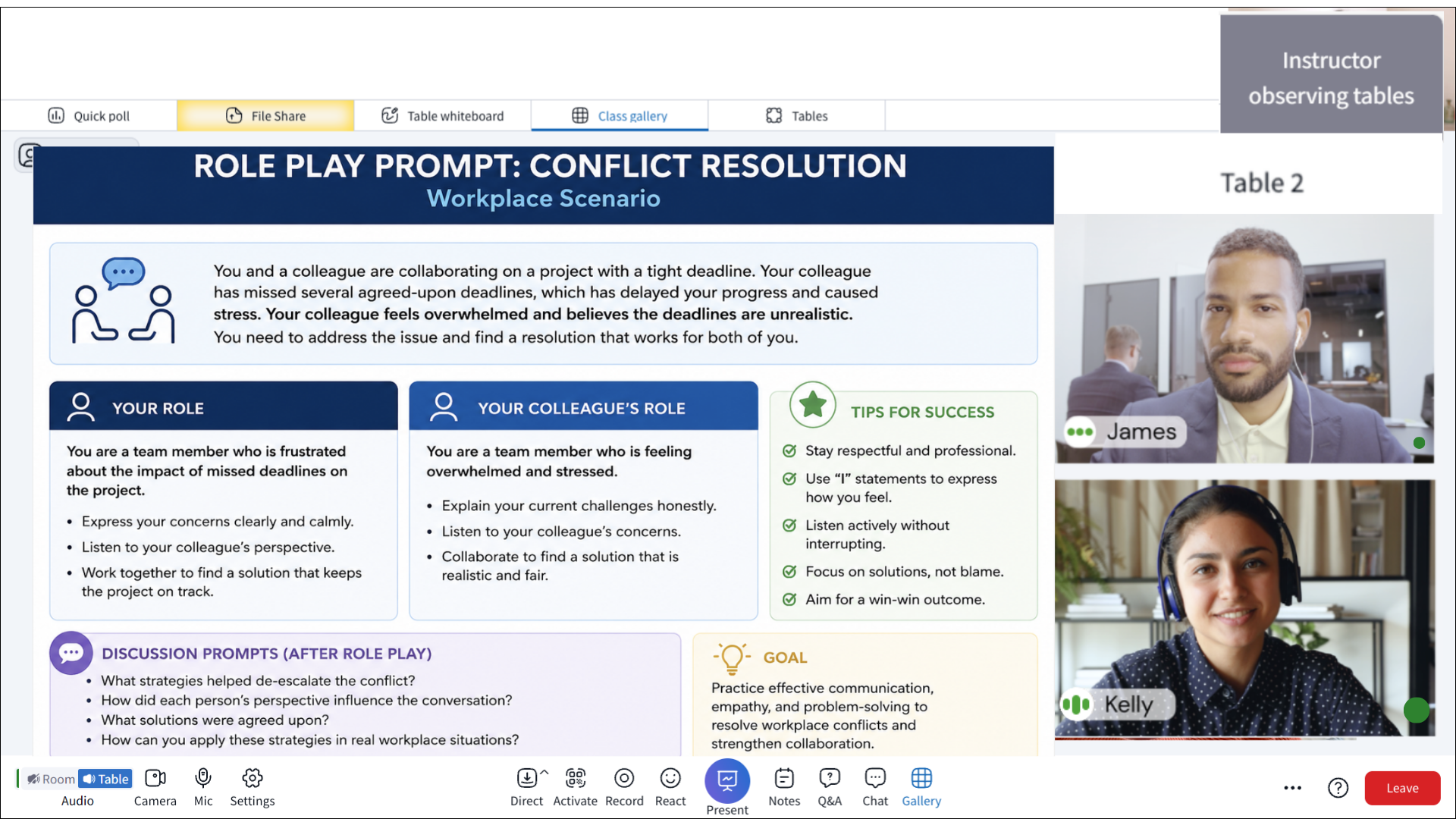
Instructors can prepare a role-play, facilitate the activity at virtual tables, monitor progress, and bring the class together for a structured debrief. Learners can practice real-world scenarios, take on different roles, and learn from one another in a supportive environment. Instructors can move between tables to observe conversations, provide guidance, and offer feedback without interrupting the flow of learning.
The closing debrief helps learners reflect on their decisions, compare approaches, and connect their experiences to practical skills they can apply beyond the classroom.
Multiple benefits, with the data to back them:
1. Deeper engagement. Engageli's research shows that active learning, which includes structured group work, increases attendance by double digit percentages.
2. Peer-to-peer teaching. Explaining a concept to a peer reinforces it more effectively than hearing it from an instructor. Small groups create the space for that exchange.
3. Stronger critical thinking. Groups of 3–5 force learners to defend their reasoning and consider alternatives — the foundation of 21st-century analytical skills.
4. Communication and collaboration skills. These transfer directly to workplace performance, which is why corporate L&D programs increasingly build around small-group formats.
5. No 'back of the room' anonymity. In a 100-person Zoom call, a quiet learner disappears. At a table of four, they don't.
Three honest challenges, and what Engageli does about each:
1. Uneven participation. In an unmanaged group, one person dominates and others coast. Engageli's Peek feature lets the instructor silently observe any table's audio and activity without interrupting. Combined with engagement analytics per learner per table, it makes free-riding visible.
2. Logistics of grouping. Assigning learners to groups mid-class usually kills momentum. Engageli supports three fast grouping methods: random assignment (drag a slider to set size, one click), poll-based grouping (learners are auto-seated by their poll response), and preset arrangements saved from previous classes.
3. Loss of instructor visibility. Traditional breakout rooms are a black box; instructors can't see groups without joining and disrupting them. Engageli instructors stay in the main room, Peek into any table, and move between tables as fluidly as walking across a physical classroom.
Four examples that work well in Engageli's table structure:
1. Think-pair-share. Pose a question to the full class, give 60 seconds for individual reflection, switch to table audio so pairs or small groups discuss, then switch back to room audio to surface insights.
2. Case-study discussion. Assign a collaborative document (Google Doc, Microsoft 365) to each table. Groups annotate and work through the case together. The instructor Peeks into tables to check progress and join the group that needs help most.
3. Role-play scenarios. Tables run negotiation simulations, customer conversations, or peer feedback exercises. Each table can work on a different scenario simultaneously.
4. Skill-level-matched practice. Run a quick poll ('How familiar are you with [topic]?') and Engageli auto-seats learners into tables based on their answers. Beginners get scaffolded content; advanced learners get stretch problems.
Book a live demo and we'll show you tables in action.