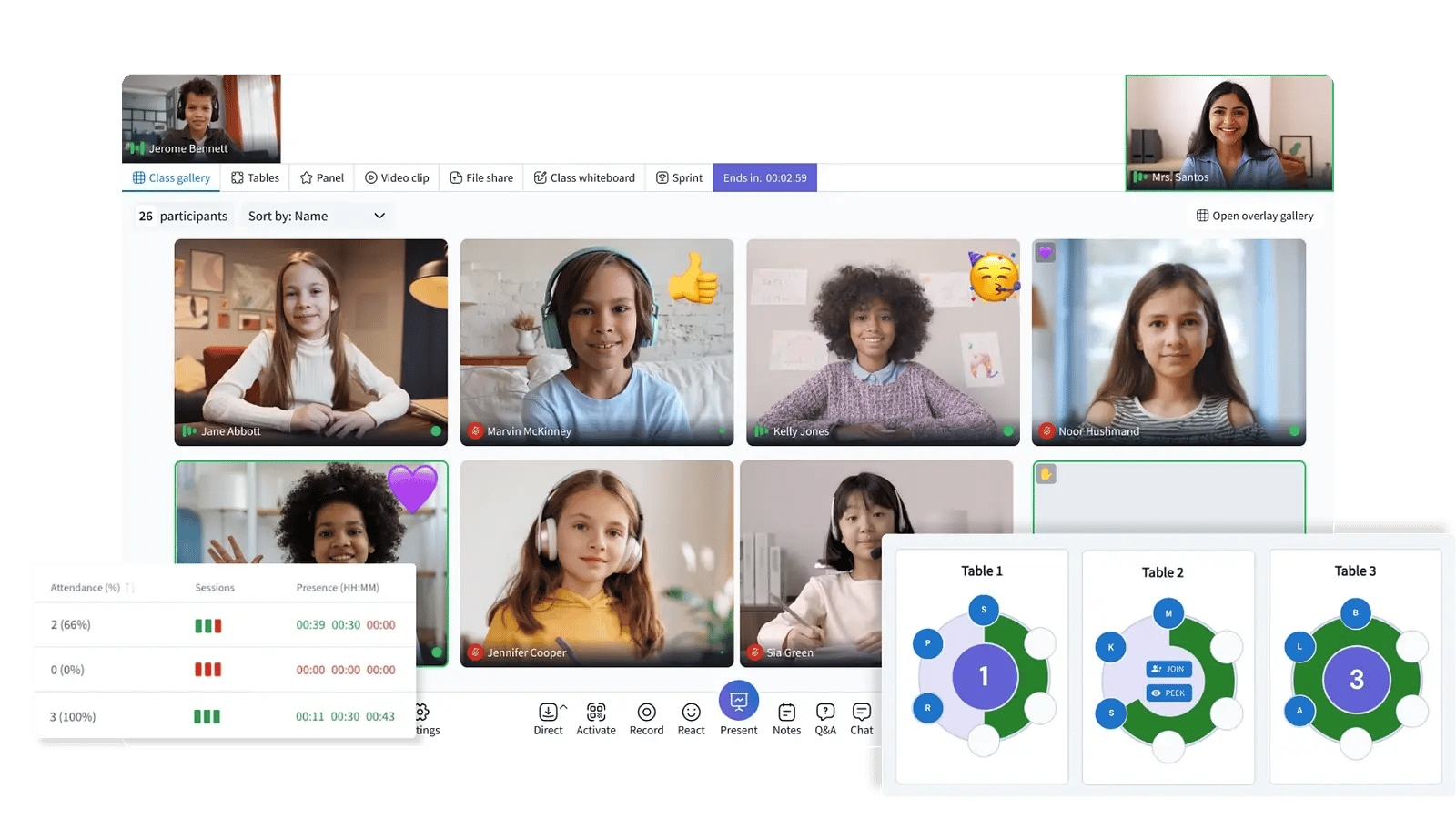
Discover how our K–12 partners are using Engageli classrooms across a range of teaching and learning use cases.
.png?width=550&height=344&name=Tables%20%E2%80%93%202%20(3).png)
Teachers can create a cone of silence over tables to proactively manage disruptions while still working with the student in a positive, controlled way.
Students with IEPs (Individualized Education Programs) need personalized supports and structured flexibility to help them access learning and succeed alongside their peers. The ability to provide quiet spaces for these students in a classroom can provide additional time for completing assignments and reducing the distraction from the ongoing class conversation.
For students with hearing impairments, features like live captions (when enabled), chat-based participation, large ASL interpreter videos, and recorded sessions with transcription can help ensure students keep pace with instruction.
For students with visual or cognitive processing needs, the structured layout with quiet tables and the ability to revisit recordings provides learning at their own pace.
Students with mobility or physical impairments benefit from being able to fully participate remotely without needing to navigate physical classroom barriers.
.png?width=550&height=310&name=Tables%20(24).png)
-2.png?width=550&height=342&name=image%20(7)-2.png)
Engageli’s whiteboards, annotation tools, and shared collaboration spaces enable effective tutoring strategies by making learning interactive and visible. Students can reflect on key concepts in real time, while measured speak time helps ensure balanced participation and engagement. Quizzes and sprints can be used as assessment tools to give tutors clear, measurable insights into student understanding.
Engageli classroom tables can be used to support inquiry-based learning. Students work in teams on engineering challenges or science investigations. Table sharing and interactive whiteboards help students brainstorm solutions, test ideas, and visualize data together for iterative problem-solving.
Teachers keep the groups together by using the seating chart and monitoring group progress in real time.
.png?width=550&height=310&name=Tables%20(25).png)
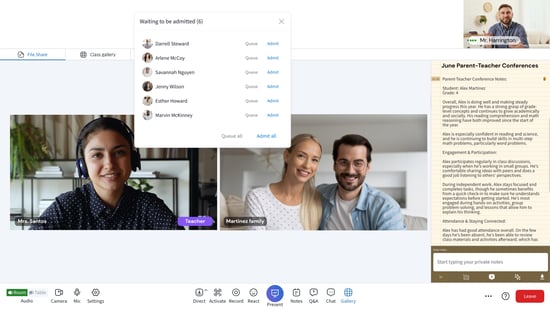
Teachers can set up an asynchronous resource hub within their parent–teacher classroom, the same space used for live sessions with parents. Within Engageli, the waiting room feature helps ensure privacy during back-to-back meetings on conference days, keeping each session secure and uninterrupted.
Multiple sections can come together in a single Engageli classroom for morning assembly, fostering a strong sense of school-wide community. With built-in classroom management tools, assemblies stay organized and focused, while the podium feature provides a dedicated space for student recognition and important updates from school staff.
.png?width=550&height=310&name=Tables%20(23).png)
.png?width=550&height=310&name=Light%20Mode%20UI%20-%20Large%20Size%20(16).png)
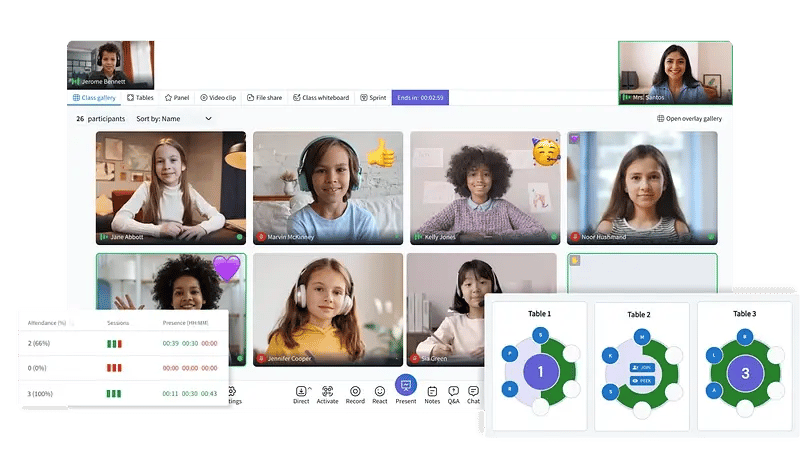
Public school funding is typically based on Average Daily Attendance (ADA) or Full-Time Equivalent (FTE) student counts, making accurate attendance tracking essential for compliance and audits. Engageli’s real-time attendance tracking across both live and recorded classrooms creates verifiable, auditable records that support funding accountability. In addition, Engageli captures camera-on time during live sessions. While camera-on time is another dimension of presence, it also indicates a measurable signal of engagement, student safety, and institutional accountability.
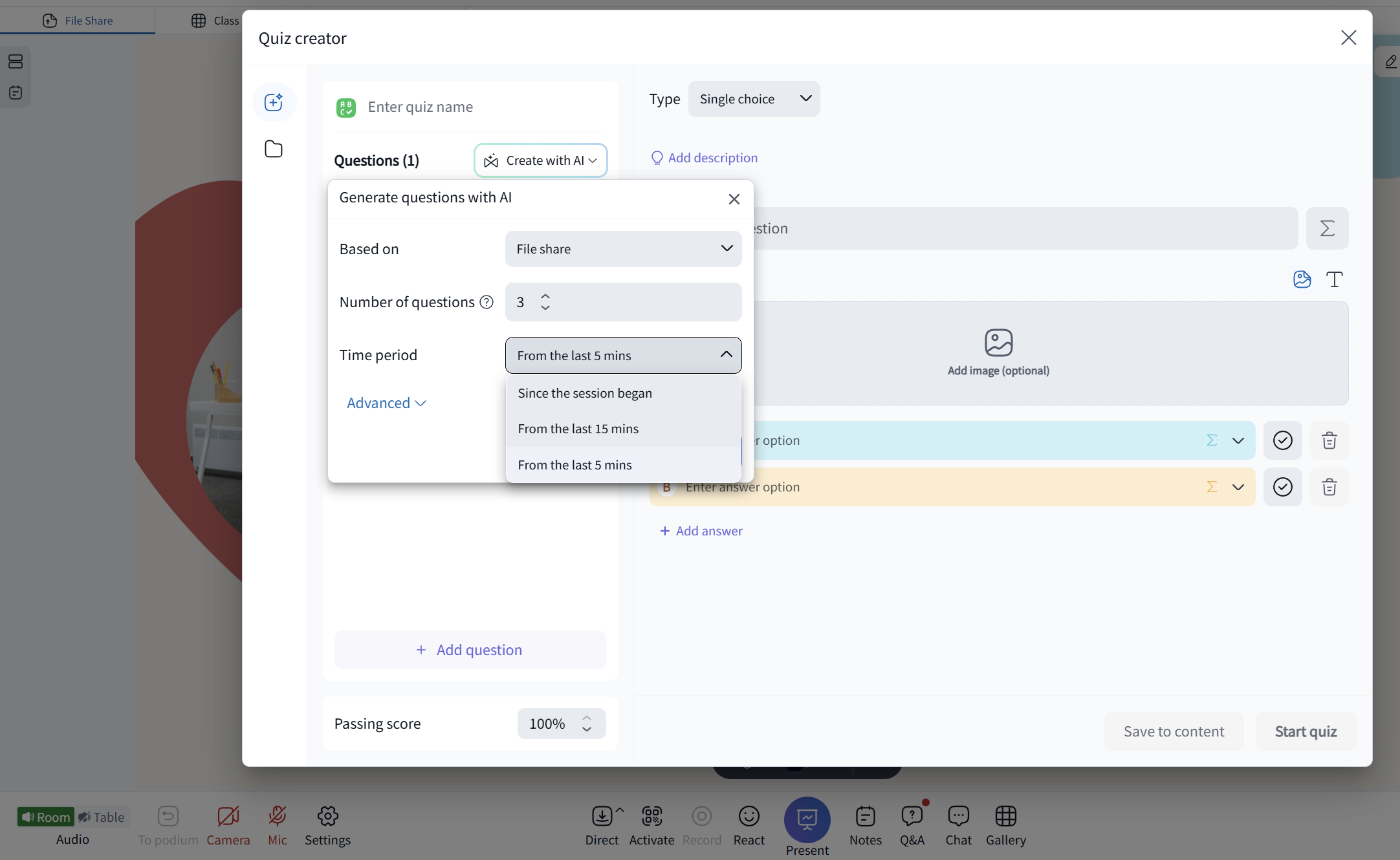
In a modern active-learning classroom, a pop quiz does not have to feel like a surprise test. It can be a quick, low-stakes activity that sparks discussion and helps teachers gauge student understanding. Classroom AI enables teachers to create instant, context-aware pop quizzes based on the discussion and materials covered.
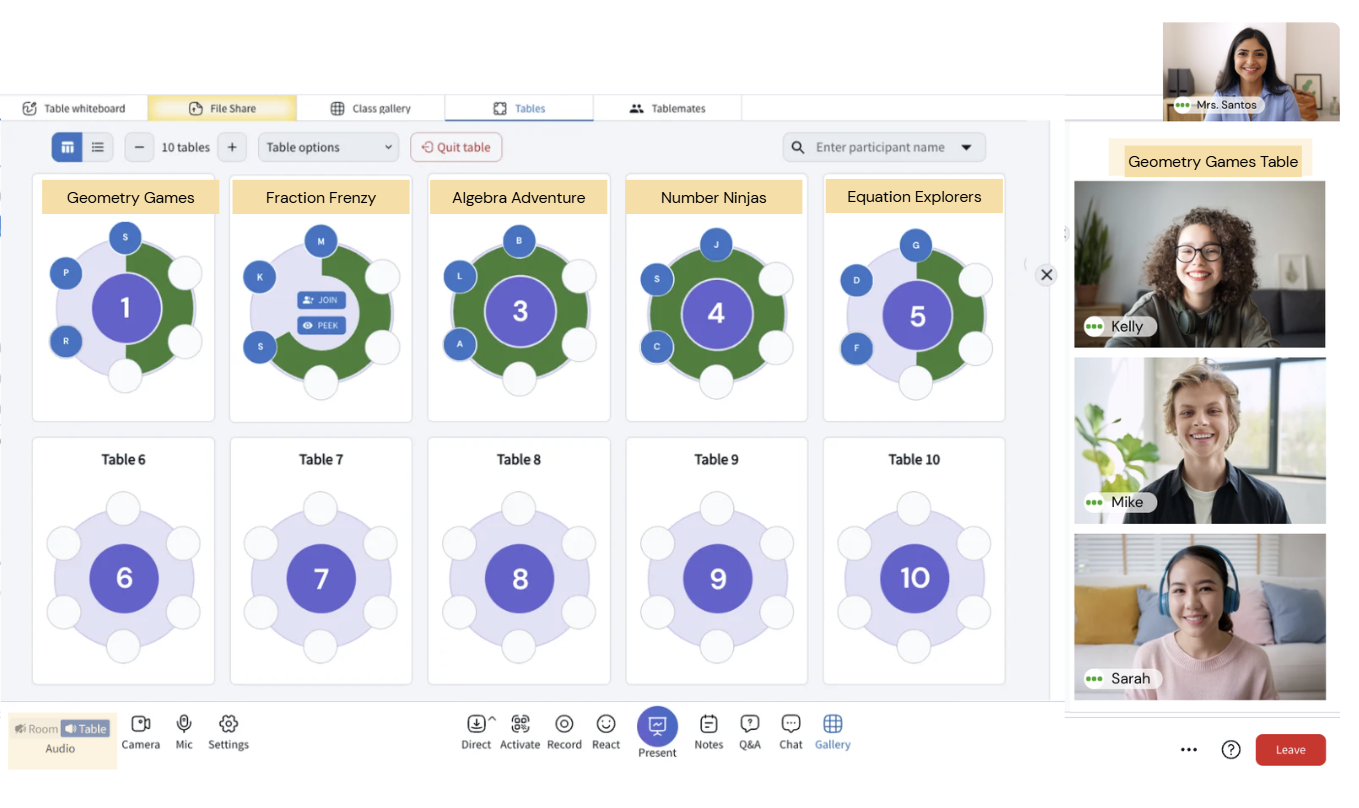
Teachers rename classroom tables to create virtual learning stations where students self-select tables and rotate through activities during a class period. This rotation allows students to move between structured collaborative and independent learning experiences. For example, in a Math class, teachers can rename tables based on different challenge levels and students can join the table of interest.